Small business SEO can feel like a giant scoreboard with way too many numbers flashing at once. Rankings. Clicks. Traffic. Bounce rate. Sessions. Conversions. Heat maps. Cool, but also, where do you actually start? The good news is that you do not need to track everything to make better marketing decisions. You need to track the right things consistently. For most small businesses, three tools give you a strong picture of what is happening: Google Search Console, Google Analytics, and Microsoft Clarity. Together, they show how people find your site, what they do once they arrive, and where they get stuck.
In this article:
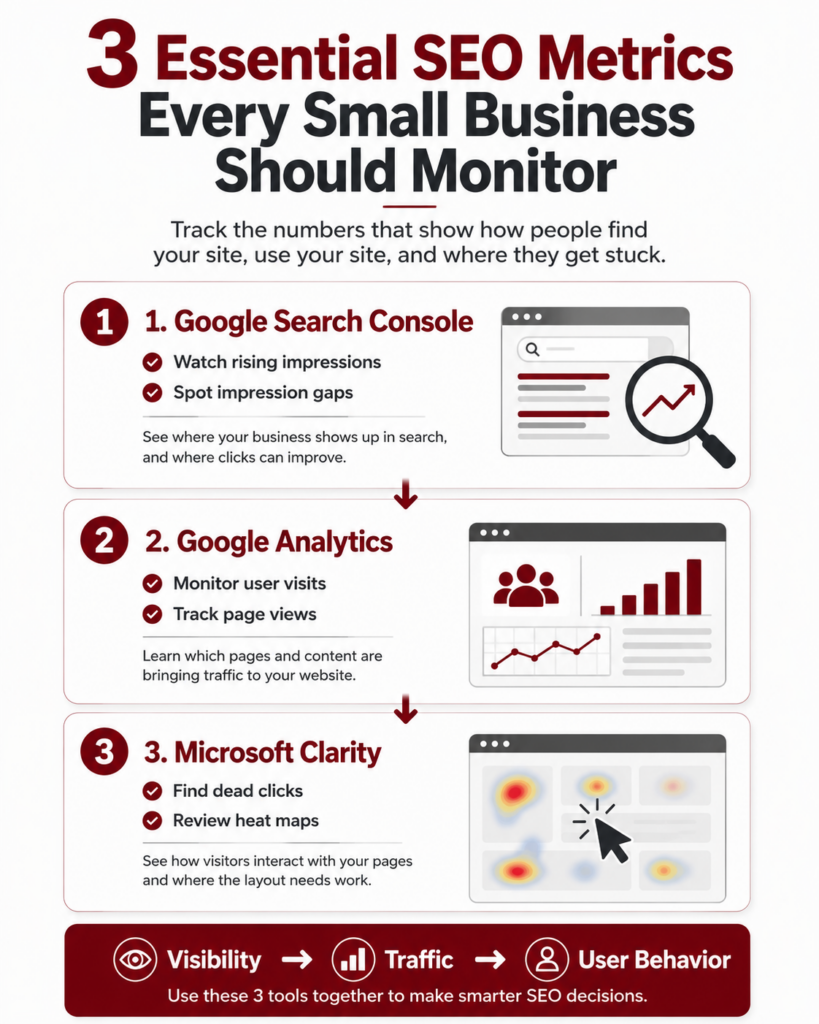
–Monitor Google Search Console for visibility: Track rising impressions and impression gaps to see where your small business is showing up in search and where clicks can improve.
–Use Google Analytics to measure traffic: Watch user visits and page views to understand which blogs, service pages, and local SEO content are bringing people to your website.
–Check Microsoft Clarity for user behavior: Review dead clicks and heat maps to find where visitors get stuck, then improve your page layout, links, and calls to action.
Kingdon Marketing helps increase views and conversions on your website with SEO. Check out services and contact us when you’re ready to increase revenue for your small business.
Why SEO Metrics Matter for Small Businesses
SEO is not just about “getting found on Google.” That is part of it, obviously, and a big part. But the real goal is turning visibility into action. More phone calls. More form fills. More bookings. More people walking into your shop, office, restaurant, or showroom.
That means you need more than a vague feeling that your marketing is “working.” You need numbers that show what is improving, what needs attention, and what should happen next.
The trick is not drowning in data. Nobody wants to spend Friday afternoon staring at 47 charts and wondering why the line went squiggly. Instead, small business owners should focus on a few practical SEO metrics that connect directly to growth.
Here are the big three.
1. Google Search Console: Rising Impressions and Impression Gaps
Google Search Console is one of the most useful SEO tools for small businesses because it shows how your website appears in Google search results. Not how people behave after they land on your site, but how often Google is showing your site before they click.
That matters.
The first metric to watch is impressions. Impressions show how many times your website appeared in search results. If impressions are rising, that usually means Google is starting to understand your website better and show it for more searches.
For example, a local service business in Boone, NC may start ranking for searches like “web design company Boone NC,” “seo agency near me,” or “Google Business Profile help.” Even if clicks are still low at first, rising impressions can be a good early sign that your SEO work is gaining traction.
But here is where it gets more interesting. You should also watch for impression gaps.
An impression gap happens when your site is showing up for a keyword, but not getting many clicks. This usually means one of three things:
- Your page title is not compelling enough.
- Your meta description needs stronger wording.
- Your ranking position is not high enough yet.
This is helpful because it gives you a clear next step. Instead of guessing, you can say, “Okay, this page is getting seen, but people are not clicking. Let’s improve the title, tighten the description, or build more content around that topic.”
That is a smarter SEO move.
2. Google Analytics: User Visits and Page Views
Google Analytics helps you understand what happens after people arrive on your website. This is where you can track user visits, page views, traffic sources, engagement, and conversions.
For small businesses, two simple metrics are a great place to start: user visits and page views.
User visits show how many people are coming to your website. Page views show how many pages are being viewed. Together, they help you understand if your website is attracting attention and if people are moving around once they get there.
Let’s say your blog traffic is growing, but your service page traffic is flat. That tells you people may be finding your educational content, but they are not moving toward your sales pages. That is not a disaster. It is a clue. You may need stronger internal links, clearer calls to action, or a better service page structure.
On the other hand, if your website visits are increasing and your service pages are getting more views, that is a strong sign your SEO strategy is pulling in the right audience.
Google Analytics also helps you answer practical questions like:
- Which pages are getting the most traffic?
- Which blog posts are bringing in new visitors?
- Are users coming from Google, social media, email, or direct traffic?
- Are people visiting key pages like contact, services, pricing, or booking?
When it comes to SEO, Google Analytics helps connect visibility to behavior. Google Search Console tells you how people found you. Google Analytics tells you what they did next.
3. Microsoft Clarity: Dead Clicks and Heat Maps
Microsoft Clarity is a seriously helpful tool for small business websites because it shows how people actually interact with your pages. Not just numbers. Real behavior.
Two of the best features to monitor are dead clicks and heat maps.
A dead click happens when someone clicks on something that does not respond. Maybe they thought an image was a button. Maybe your headline looked clickable. Maybe your call-to-action button is not obvious enough, so they clicked somewhere nearby instead.
That is useful information. Painful? A little. Helpful? Very.
Dead clicks can show where your website is confusing users. If several people are clicking on the same non-clickable element, that is your cue to either make it clickable or redesign that section.
Heat maps show where people click, scroll, and pay attention. This can help you understand which parts of your page are working and which parts are getting ignored.
For example, if your most important call-to-action is buried too far down the page and users are not scrolling that far, you may need to move it higher. If people are clicking a service card, but the card does not lead anywhere, turn it into a link. If users are skipping a large block of text, tighten it up and make it easier to scan.
Microsoft Clarity is especially useful because it helps you improve conversions, not just traffic. More visitors are nice. More visitors who actually take action are better.
How These Three SEO Metrics Work Together
The real power comes from using these tools together.
Google Search Console tells you what people are searching and where your site is showing up. Google Analytics tells you what visitors do after they land on your site. Microsoft Clarity shows where users click, scroll, pause, or get stuck.
Think of it like this:
Search Console shows visibility. Google Analytics shows traffic. Microsoft Clarity shows behavior.
That is a simple, useful system for small business SEO.
Here is how the process might work:
- You notice impressions are rising in Google Search Console for a local service keyword.
- You check Google Analytics and see that the page is getting more visits.
- You open Microsoft Clarity and notice users are scrolling, but not clicking the contact button.
- You move the button higher, rewrite the call to action, and make the page easier to scan.
- You check back later to see if clicks, visits, or conversions improved.
Boom. That is not random marketing. That is informed decision-making.
How Often Should Small Businesses Review SEO Metrics?
You do not need to check SEO metrics every day. In fact, please do not. That is how people start making weird decisions based on one slow Tuesday.
For most small businesses, a monthly review is enough. SEO works best when you look at trends over time, not tiny daily changes.
A simple monthly SEO review should include:
- Google Search Console impressions, clicks, and keyword gaps
- Google Analytics visits, page views, and top-performing pages
- Microsoft Clarity dead clicks, heat maps, and user behavior issues
- A short list of updates to make next month
This keeps the process clean and useful. Look at the data. Find the pattern. Make the next smart move.
SEO Metrics Should Lead to Action
Here is the big thing: metrics are only useful if they help you make decisions.
If impressions are rising, create or improve content around those keywords. If visits are increasing but leads are not, look at your page layout and calls to action. If Clarity shows dead clicks, fix the page so users know exactly where to go.
Small business SEO should never be about staring at reports just to say you looked at them. It should help you improve your website, serve your customers better, and make your marketing more effective.
That is the whole point.
Final Thoughts: Track What Helps You Grow
You do not need to be a data scientist to understand your SEO performance. You just need a simple rhythm and the right metrics.
Start with Google Search Console to monitor impressions and search visibility. Use Google Analytics to track user visits and page views. Then use Microsoft Clarity to see how people interact with your website and where they may be getting stuck.
These three tools give small businesses a clear view of what is working, what needs improvement, and what action to take next. Simple. Useful. Not flashy — but it works.
Ready to implement this for your small business? Contact Kingdon Marketing today for a free strategy call.
Other articles to Checkout:
- 7 Ways Marketing Strategy Impacts SEO for Local Small Businesses
- 3 SEO Versus PPC Approaches for Small Business Marketing
- 7 Key SEO Factors for Boosting Small Business Sales
- 5 Smart SEO Moves for Immediate Small Business Website Visibility
- 9 Must-Know SEO Basics for Small Business Entrepreneurs
- Is Local SEO Dead? Here are 9 Reasons Why It’s Still Relevant